
-
For Resellers
-
-
For Clients
-
-
WHMCS Integration
Login as User
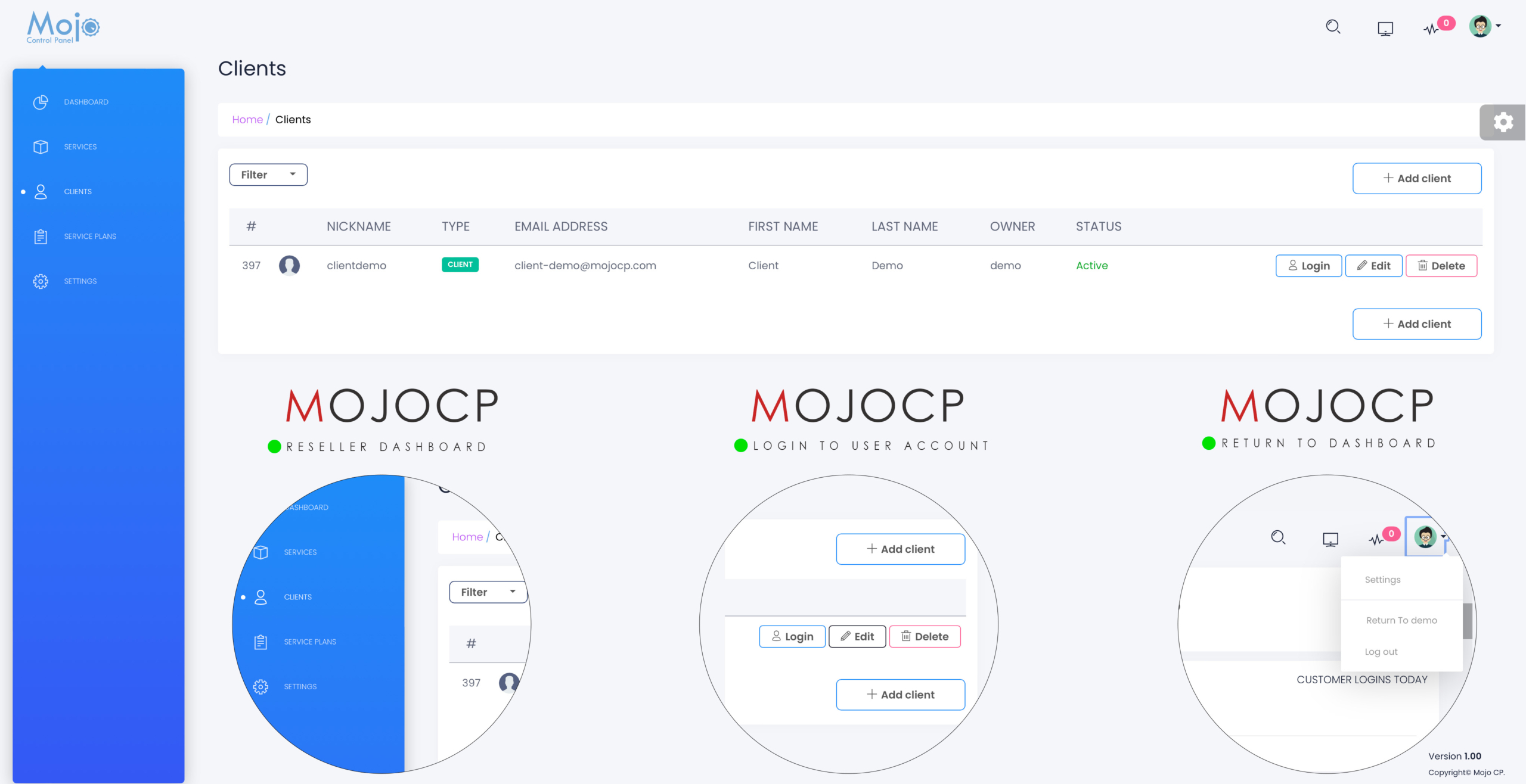
MojoCP allows reseller administrators to customize the operation of each client’s video streaming server through the account editor. To access the user account, click on “Clients” in the navigation menu under the dashboard.
To log in as a user, select the client from the account list and click the login icon. The account list provides a summary of the account, including the client dashboard server status, application name, service type, server location, subscription plan, application status, current and max bitrate, status (enable/disable), date created, monthly traffic amount, and total disk space.
From the account list, reseller administrators can also stop, start, or restart the application for the selected account(s). They can update client settings such as password, email, nickname, and username.
To return to the reseller platform, click on the top right avatar and select “Return to Main Dashboard account” from the drop-down menu.
Coming Soon…
More Videos:
Video tutorials: Reseller Guide for your reseller account. Reseller Guide
