
-
For Resellers
-
-
For Clients
-
-
WHMCS Integration
Stream to Periscope Live
Periscope Stream Target is a powerful tool that enables Mojocp to deliver high-quality live video content directly to Periscope, a popular live streaming platform. With Periscope Stream Target, Mojocp can help our clients leverage the power of live streaming to connect with their audience and drive real engagement.
As a Periscope Partner, Mojocp has the expertise to help our clients deliver high-quality live video content that is optimized for Periscope’s audience. Our team of experts works closely with our clients to develop a customized streaming plan, including setting up cameras and microphones, optimizing network settings, and managing the entire streaming process.
Mojocp’s Periscope Stream Target solution is designed to provide the best possible viewing experience for our clients’ audience. We use adaptive bitrate streaming to deliver high-quality video to viewers on any device, regardless of their network conditions. Additionally, we provide detailed analytics and reporting to help our clients track the success of their live video content on Periscope.
Using Periscope Stream Target, Mojocp can help our clients expand their audience and reach new viewers. By leveraging Periscope’s social features, our clients can engage with their audience in real-time, answer questions, and build a more intimate connection with their followers.
Overall, Periscope Stream Target is an essential tool for Mojocp and our clients who want to increase engagement with their audience and reach a wider audience on the popular live streaming platform. With the ability to stream high-quality live video content to Periscope, Mojocp can help our clients take their online presence to the next level and achieve their goals.
This article explains how to configure Periscope on MojoCP so that you can send a single live stream to the Periscope Live network for distributed delivery. Existing stream targets are not active until this feature is enabled.
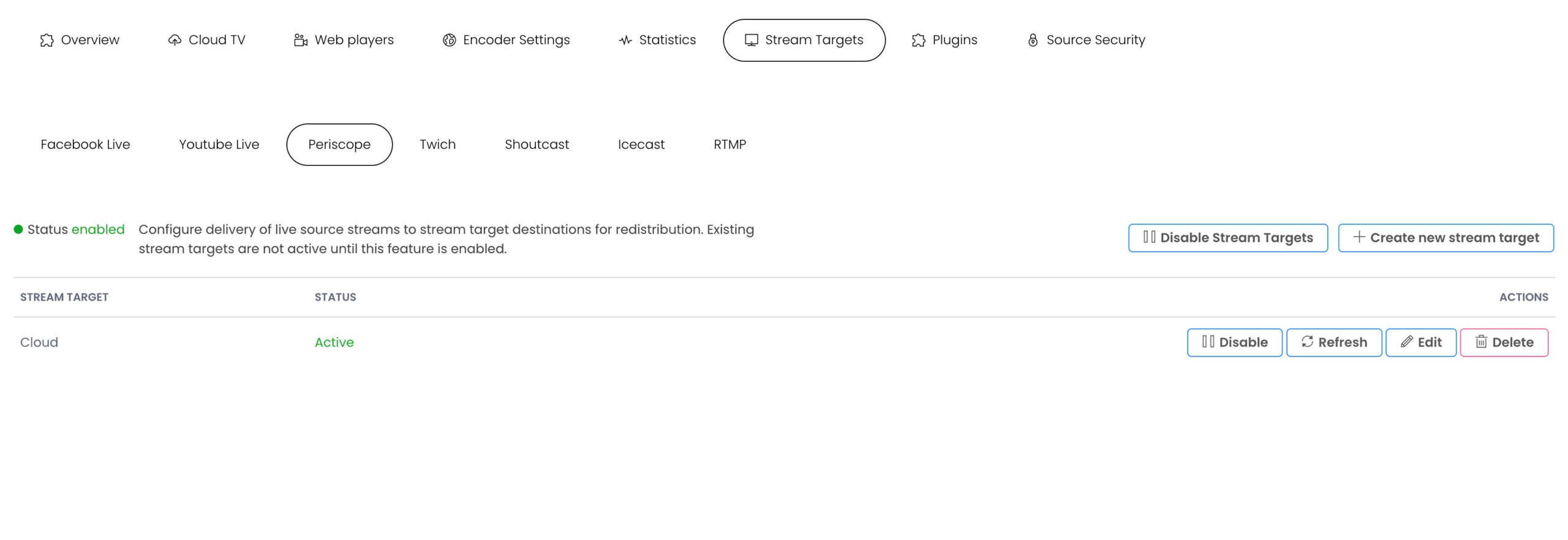
Configure Periscope stream target
Use the following settings to map the incoming live source stream to the stream target destination.
Note: If you change the settings for a stream target that has an active stream, the stream target will be restarted.
To get your RTMP credentials for Periscope, you will need to install the Periscope App on your iOS or Android device.
- Login To Periscope: Here
- Click the icon in the top right corner.
- Scroll down and select Settings.
- Under Advanced Sources, select Periscope Producer App.
- In the Periscope app, navigate to your profile then scroll down and select Settings.
- A Source Connection info will generate. Enter these into the MojoCP Periscope Stream Target fields.
- Stream Target Name: My_Periscope_Live
- Ingest Endpoint URL: rtmp://or.pscp.tv:80/x
- Stream Key: 89q25sp5vtw2
- Click Add to apply the Periscope stream target.
- Stream Target Name
The name of the stream target. Use a name to help you identify it from other stream targets. For example, name a stream target to indicate its destination, protocol, and rendition (My_Periscope_Live). The name must be unique and can’t contain less-than (<), greater-than (>), colon (:), quotation (‘ and “), forward slash (/), backslash (\), pipe (|), question mark (?), asterisk (*), double-dot (..), and tilde (~) characters. - Ingest Endpoint URL
Ingest Endpoint URL are available from Periscope Ingest Endpoint web page. - Stream Key
Stream Key is available from your Periscope Channel Settings page
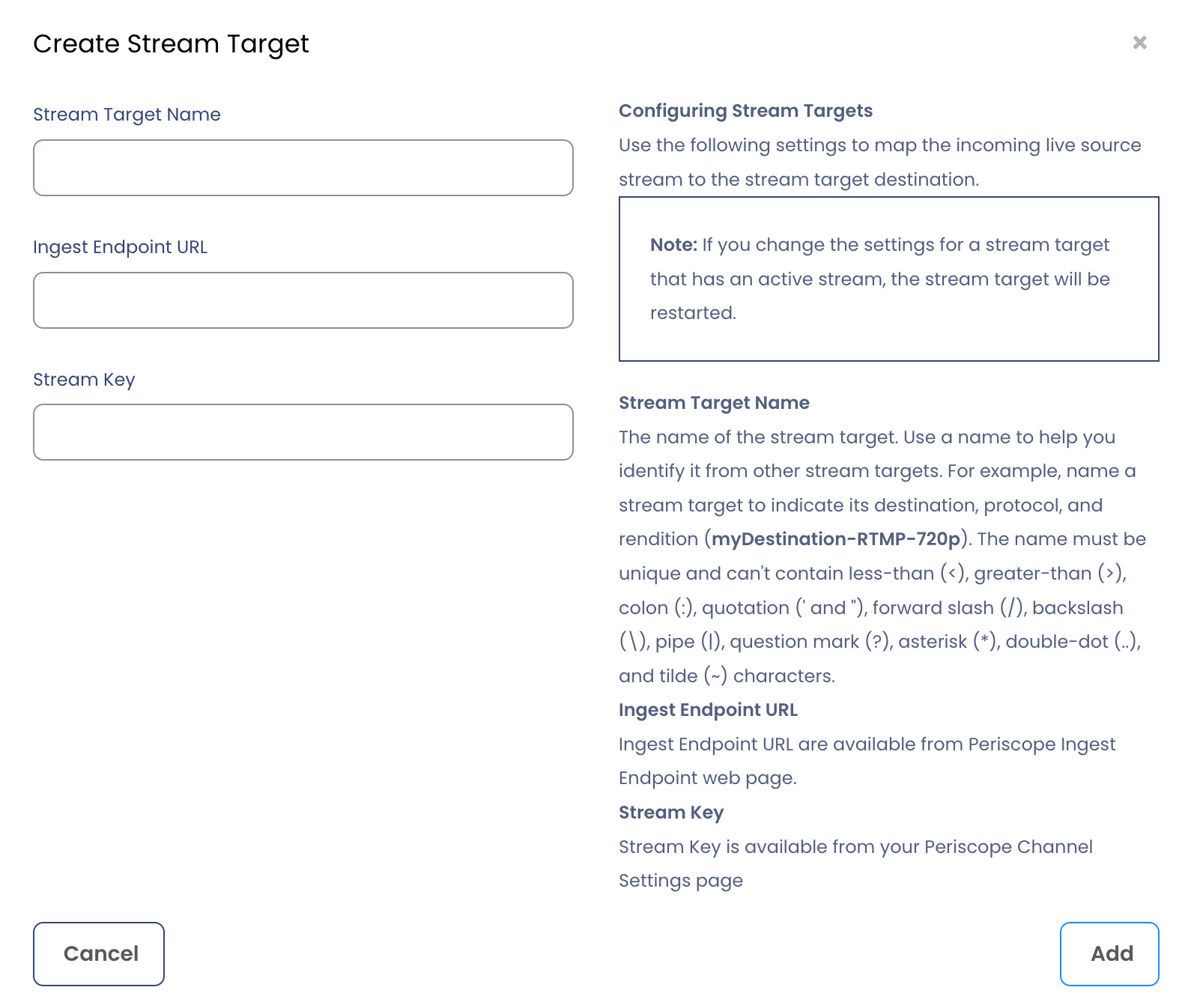
Periscope’s supported streaming specifications are as follows:
2500 kbps “recommended”, 4000 kbps “max”, H.264
Audio 128 kbps AAC-LC
Frame rate 30fps
Video 1280×720
Every 3 seconds “OBS”
More Videos:
Video tutorials: Use the stream targets to simulcast to any media platforms. Stream Targets.
