
-
For Resellers
-
-
For Clients
-
-
WHMCS Integration
Add Client Accounts.
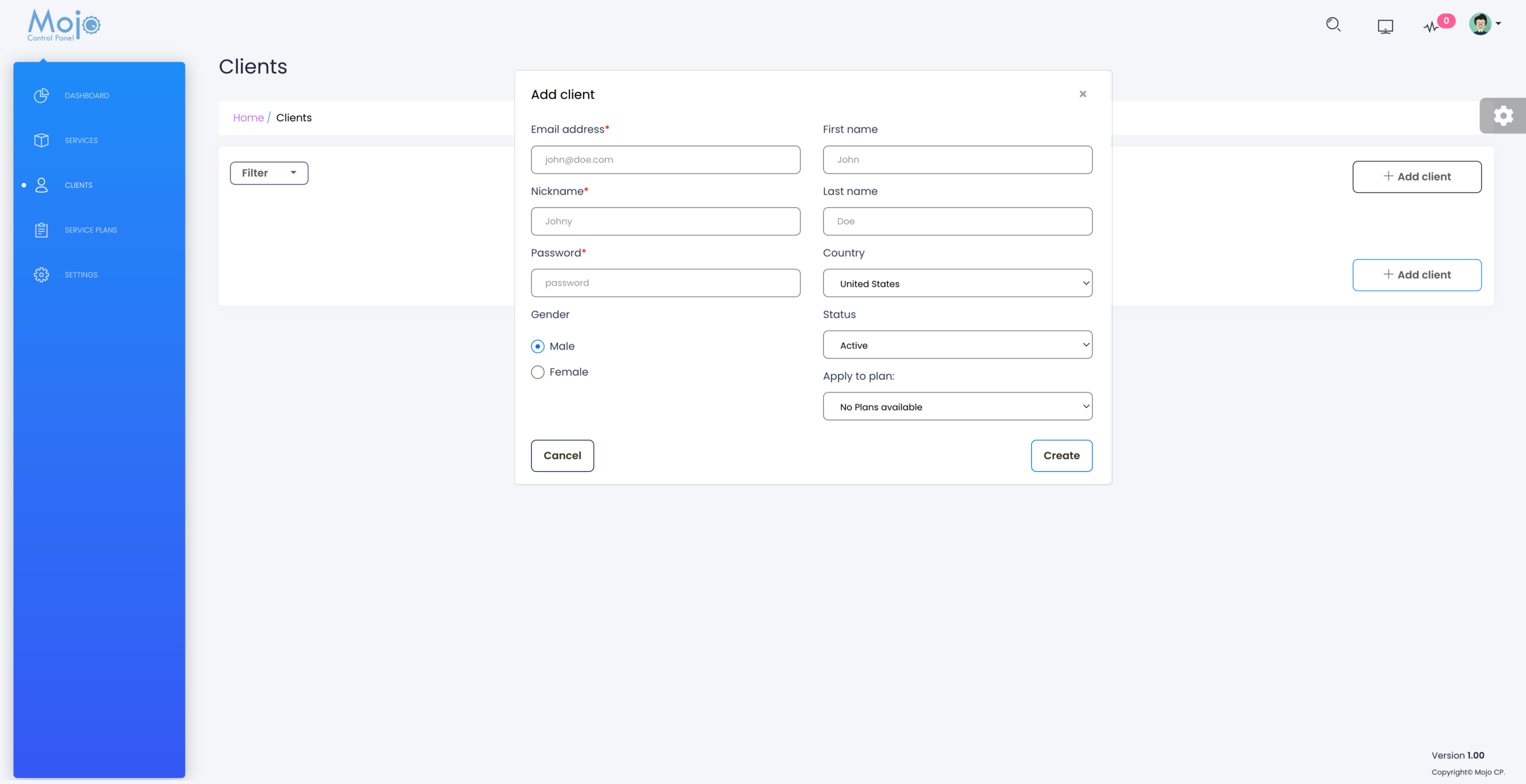
Mojocp provides resellers with the ability to easily create client accounts and give them full control of their streaming video services. The process is simple and can be done manually or automatically using a CRM platform like WHMCS. By adding client credentials and assigning them to a plan, resellers can give clients access to features such as live streaming, CloudTV, and on-demand content. This makes it easy for resellers to manage their client base and grow their business while providing high-quality streaming services. Overall, Mojocp is a valuable tool for resellers looking to expand their streaming video business.
- Login to your MojoCP reseller account and navigate to the dashboard.
- Click on the “Clients” menu on the left-hand side of the screen.
- Click the “Add Client” button.
- Enter the client’s information, including their email address, nickname, credentials, first name, last name, and country.
- If you have already created streaming plans for your clients, select the plan from the drop-down menu and assign it to the client.
- Click the “Save Changes” button to add the client to your MojoCP account.
- The client will receive an email with their login credentials and a link to access their account.
- The client can now log in to MojoCP and have full control of the streaming video services assigned to them.
Note: If you have integrated MojoCP with a CRM platform like WHMCS, you can set up client accounts automatically.
Coming Soon…
More Videos:
Video tutorials: Reseller Guide for your reseller account. Reseller Guide
