-
For Resellers
-
-
For Clients
-
-
WHMCS Integration
Configure Playback Types
At Mojocp, we understand that every viewer has their own preferred method of accessing content, which is why we offer a comprehensive way of configuring playback types. With our Configure Playback Types feature, you can customize your live stream to be compatible with a wide range of devices and platforms, including desktop computers, mobile devices, and smart TVs.
Our platform provides you with the flexibility to configure the playback settings, including video quality, frame rate, and audio quality, to suit the specific requirements of your viewers. This feature also ensures that your live stream is optimized for a wide range of network conditions, so your viewers can enjoy an uninterrupted streaming experience, no matter where they are in the world.
With our Configure Playback Types feature, you can make your live stream accessible to viewers from different parts of the world, on different devices, and on different networks, all while providing them with the best viewing experience possible.
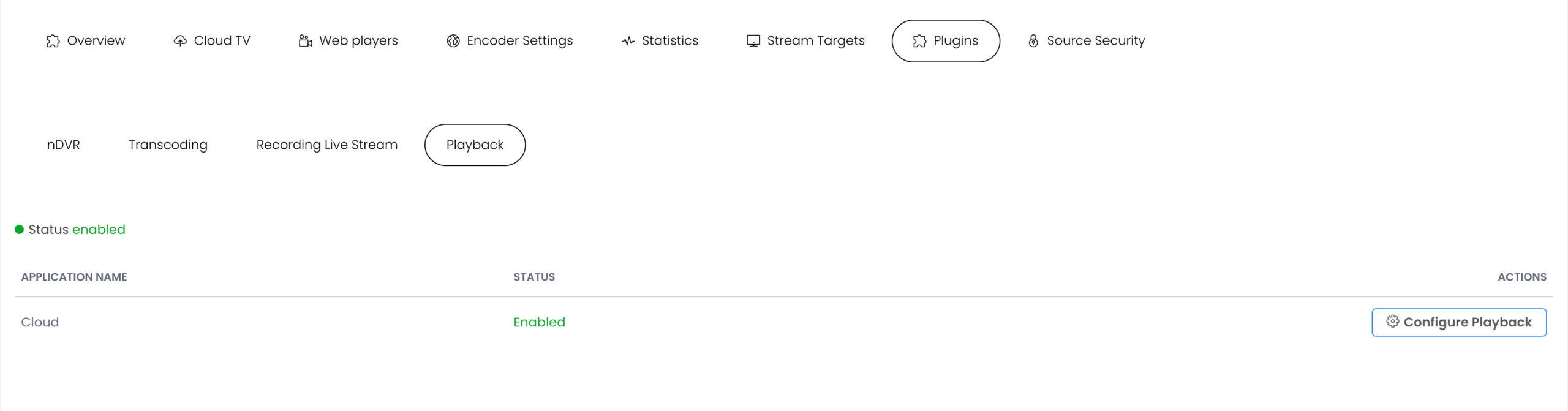
Configure Playback
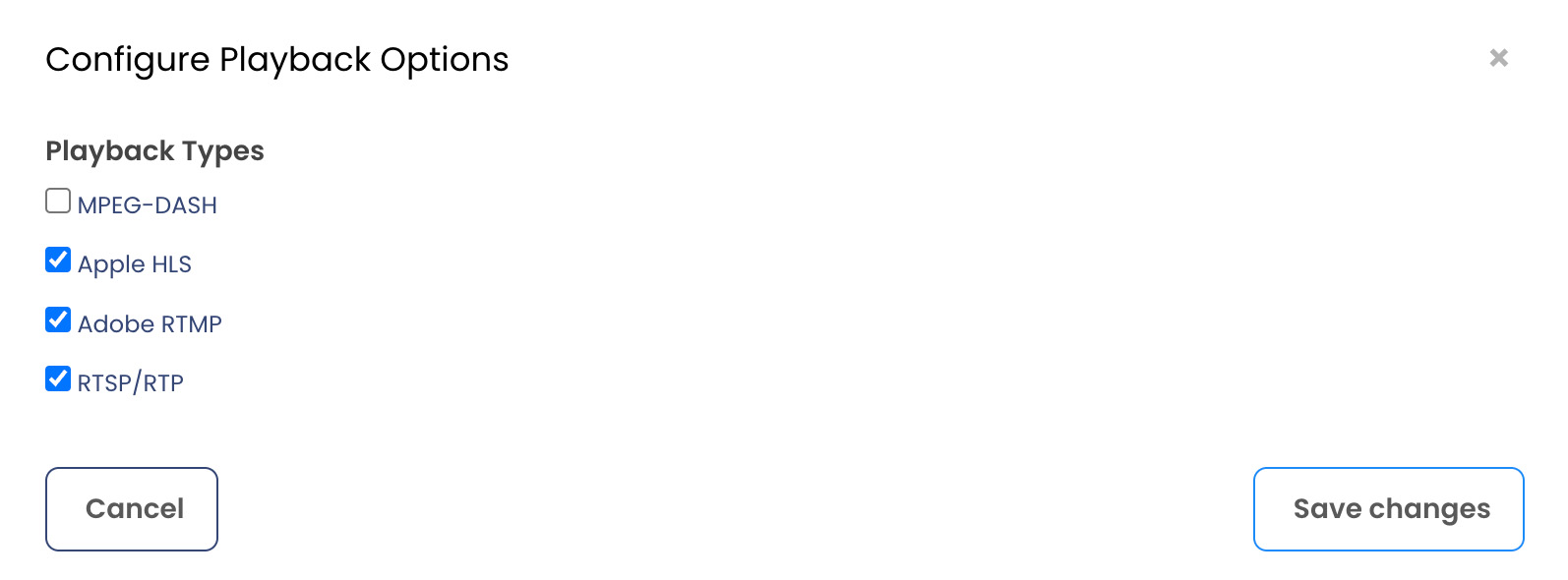
Playback Types
Enable streaming to specific endpoints by selecting one or more of the following Playback Types:
MPEG-DASH. Stream to DASH clients via Dynamic Adaptive Streaming over HTTP (DASH).Apple HLS. Stream to Apple iOS devices and Android devices via Apple HTTP Live Streaming protocol.Adobe RTMP. Stream to Adobe Flash Player via Real Time Messaging Protocol.
RTSP/RTP. Stream to RTSP/RTP-based players and devices (including Android devices) via interleaved Real Time Streaming Protocol/Real-time Transport Protocol.