
MojoCP Documentation
-
For Resellers
-
-
For Clients
-
-
WHMCS Integration
Table of Contents
< All Topics
Print
Posted
Updated
Byadmin
Stop Service
To stop an application in Mojocp, follow these steps:
- Log in to your Mojocp reseller account.
- Click on the “Services” tab from the main menu.
- Select the application(s) you want to stop by checking the box next to them.
- Click the “Stop” button to begin the application.
Note: that once you stop the application, it will automatically stop the application.
Coming Soon…
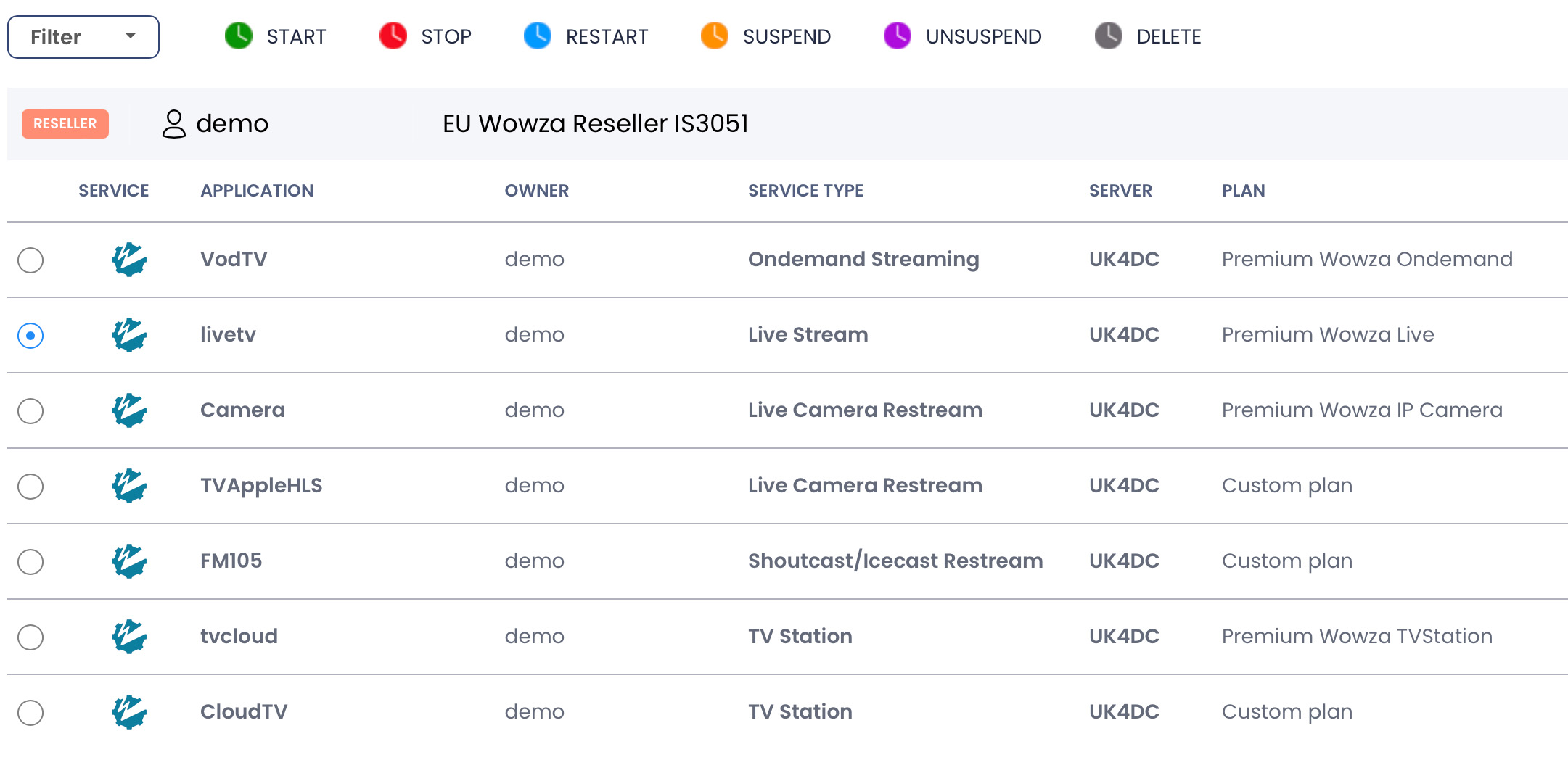
The following operation buttons are available:
Start: ![]()
Starts the application servers for the selected account(s).
Stop : ![]()
Stops the application servers for the selected account(s).
Restart: ![]()
Restart the application servers for the selected account(s).
Suspend: ![]()
Suspend the application servers for the selected account(s).
Unsuspend: ![]()
Unsuspend the application servers for the selected account(s).
Delete: ![]()
Delete the application servers for the selected account(s).
More Videos:
Video tutorials: Reseller Guide for your reseller account. Reseller Guide
