
-
For Resellers
-
-
For Clients
-
-
WHMCS Integration
MojoCP Operations Tabs
The MojoCP Operations tab provides a convenient way to perform actions on multiple accounts simultaneously.
To use this feature, first select the checkbox next to each account you want to operate on. You can select multiple accounts at once by checking the box next to each one. Once you have selected the desired accounts, you can choose from a variety of available operations by clicking one of the buttons above the account list. These operations include starting and stopping services, updating account information, and more. This feature can save you time and effort when managing multiple accounts, as you can perform actions on many accounts at once instead of having to perform the same actions individually on each one.
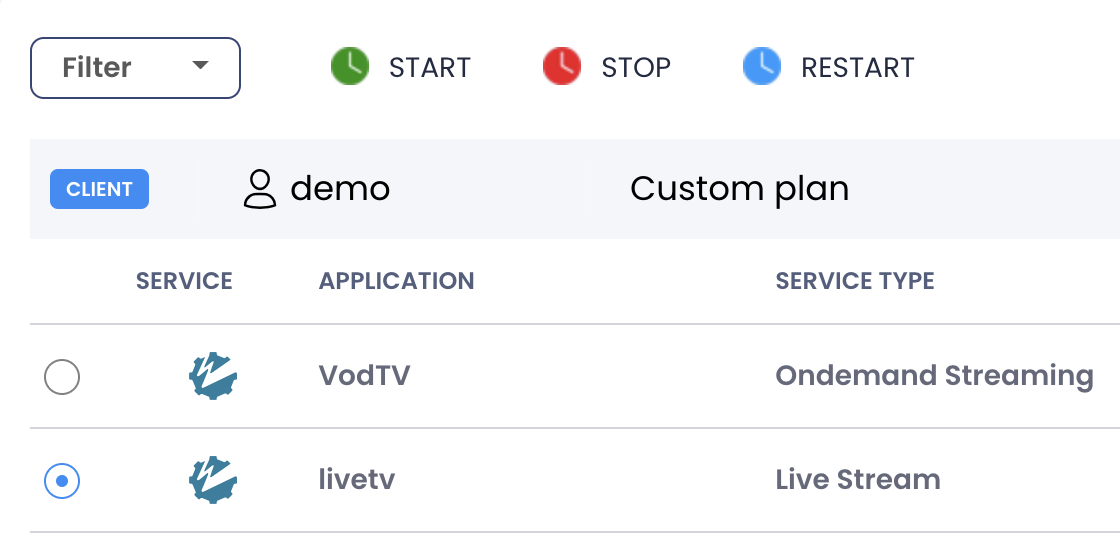
The following operation buttons are available:
Start: ![]()
Starts the application servers for the selected account(s).
Stop : ![]()
Stops the application servers for the selected account(s).
Restart: ![]()
Restart the application servers for the selected account(s).
