
-
For Resellers
-
-
For Clients
-
-
WHMCS Integration
Client Service Status Summary
The Stream Status Summary on MOJOCP provides users with a quick overview of the current status of their stream.
This summary typically includes information such as the number of viewers, the stream bitrate, and any technical issues or errors that may be affecting the stream.
The information is presented in an easy-to-read format, usually consisting of a simple chart or table that provides users with a snapshot of their streaming activity.
By monitoring the Stream Status Summary on MOJOCP, users can stay informed about the health of their stream and make adjustments to improve the viewing experience for their audience. Whether you’re a beginner or an experienced streamer, the Stream Status Summary on MOJOCP is an essential tool for monitoring your streaming activity and optimizing your content delivery.
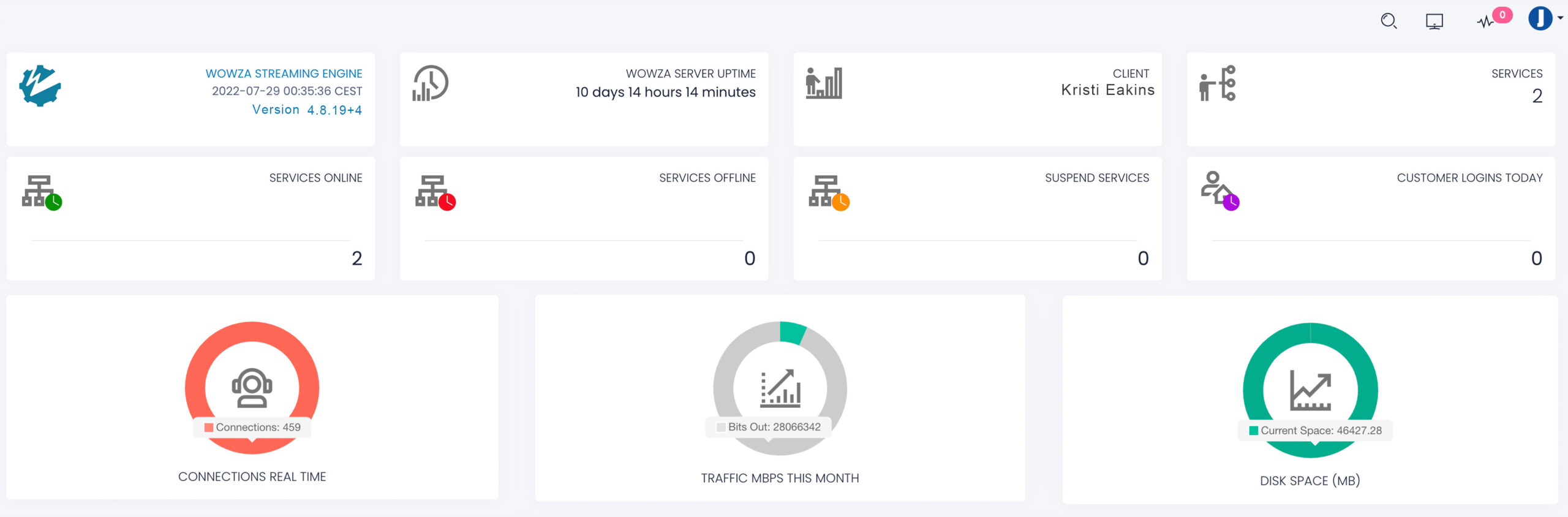
Software:
Streaming server software Wowza Streaming Engine.
Date & Time Zone:
Time zone used by Wowza.
Version:
The latest version of Wowza Streaming Engine.
Server Uptime:
This indicate date and time that the server started.
Server Status:
The status of your server (online, offline, suspend, login).
Connections Realtime:
The current viewers meter indicates the number of viewers currently tuned in to your video stream, as well as the total number of viewers your video stream will accommodate at the same time.
Monthly Traffic in MBPS:
The monthly traffic meter indicates the total data traffic in MBPS used by your application to for this month, as well as your monthly data traffic limit.
Disk Space MB:
The disk space usage meter indicates the amount of disk space in (MB) used by your account’s files
(including uploaded videos, if any), as well as your disk space limit.
