
-
For Resellers
-
-
For Clients
-
-
WHMCS Integration
Reseller Settings
The Reseller Settings tab in MojoCP provides you with access to a range of tools and features that allow you to manage your reseller account.
General Settings:
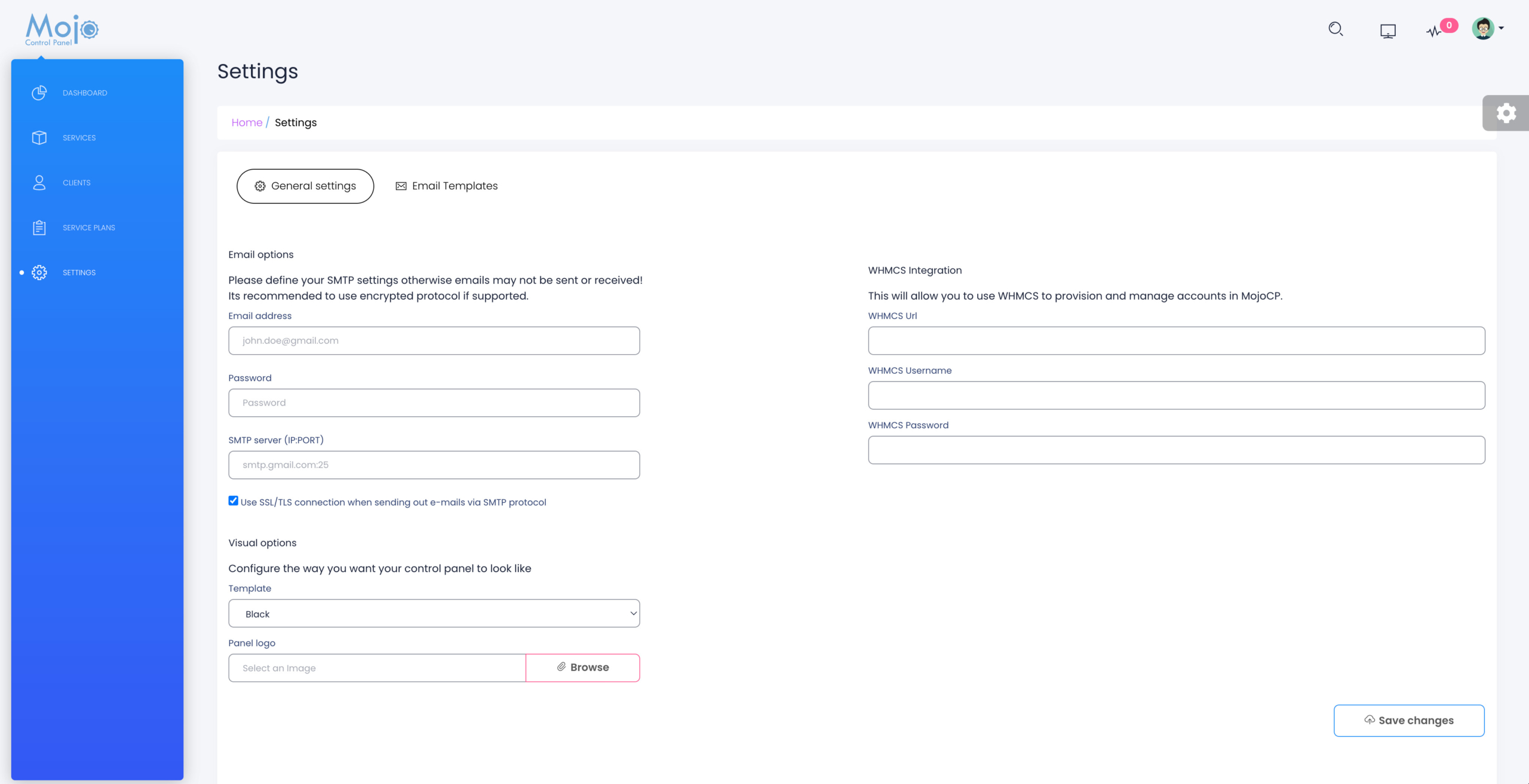
In the General Settings tab, you can view and manage your login credentials, as well as set up integration with WHMCS. If you use WHMCS to manage your billing and customer management, you can easily integrate your MojoCP account to sync your customer data and billing information. Additionally, you can customize the look and feel of your control panel by uploading your company logo. This allows you to brand the control panel with your own company identity, giving your customers a consistent and professional experience.
Other settings that you can configure in the General Settings tab include language selection, time zone settings, and control panel theme customization. These features allow you to personalize the control panel to suit your needs and preferences, making it easier for you to manage your account and provide a seamless experience to your customers.
In addition, the General Settings tab also provides Email options for your reseller account, that will be use to send notification messages and emails to the clients.
Overall, the General Settings tab provides you with a range of powerful tools and features that allow you to customize and manage your MojoCP account according to your needs and preferences, making it easier to provide the best possible service to your customers.
Coming Soon….
Email Options:
- Your company email address.
- The SMTP password.
- SMTP server or host IP:Port
Visual Options:
- Choose a style to customize your MojoCP interface.
- Company logo, your own brand, logo for your MojoCP. (JPEG, JPG, PNG, WEBP and SVG) accepted.
Image will be cropped to fit logo area.
WHMCS Integration:
WHMCS to manage your billing and customer management.
- WHMCS admin area URL.
- WHMCS administrator Username.
- WHMCS administrator Password.
