
MojoCP Documentation
-
For Resellers
-
-
For Clients
-
-
WHMCS Integration
Table of Contents
< All Topics
Print
Posted
Updated
Byadmin
Trash & Restore VOD Videos
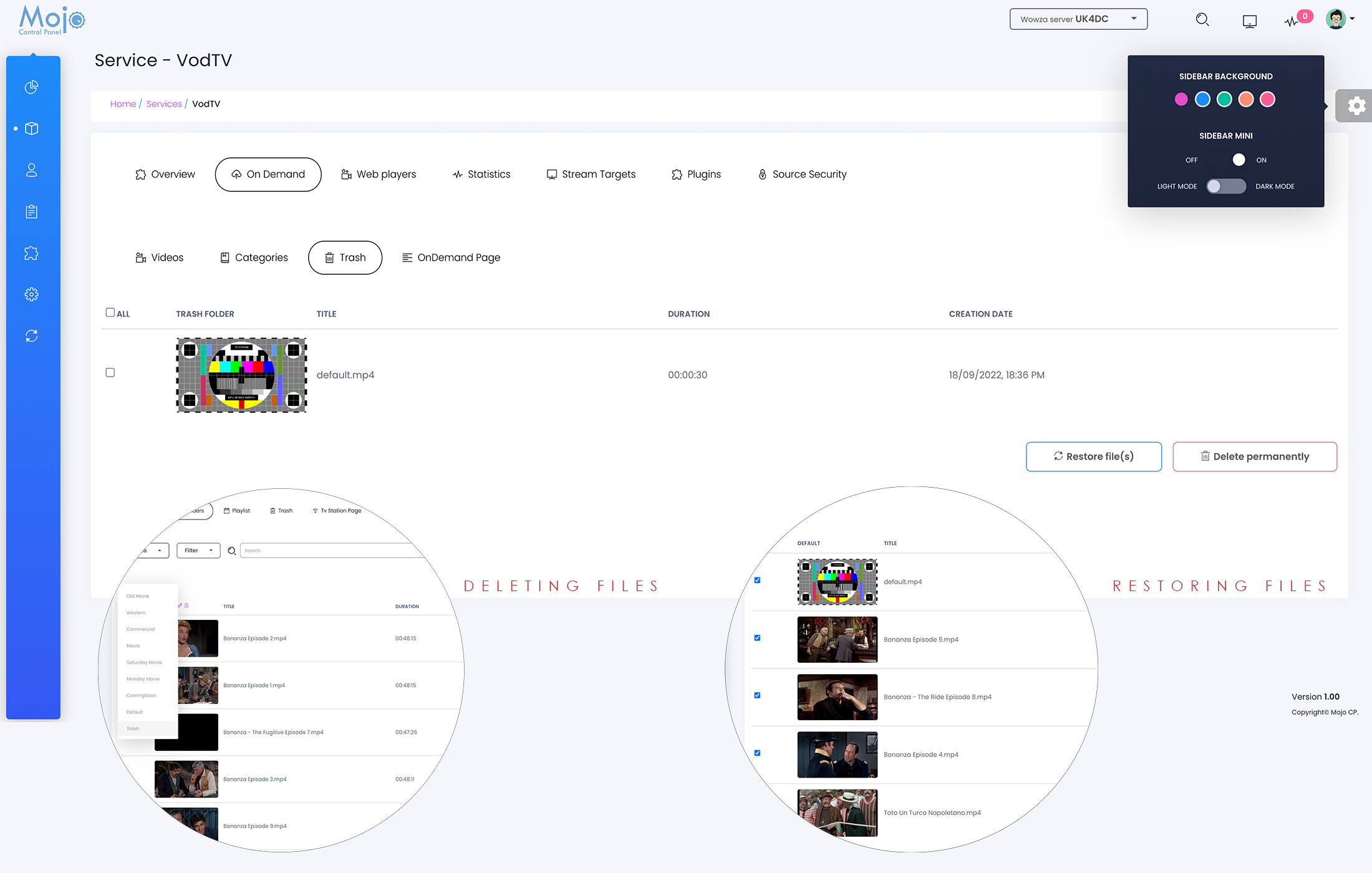
To delete a video file:
- From your overview page, navigate to the On-Demand tab.
- Select the Categories tab.
- Find the video you wish to delete and select it from the list.
- From the drop-down menu, select the “Trash Folder” option.
- Click on the “Save” button to move the video to the trash folder.
To restore a deleted video file:
- Navigate to the “Trash Folder” in the Categories tab.
- Find the video you wish to restore and select it from the list.
- Click on the “Restore File(s)” button to restore the video file to its original category.
- The restored video will be moved back to its original location, and you can now access it as you normally would.
Please note that if you permanently delete a video, it will not be recoverable, and you will lose access to the file. Therefore, it is important to be cautious when deleting files and to double-check before permanently deleting any content.
Coming Soon..
More Videos:
Video tutorials: Ondemand TV Broadcast your own internet TV. Ondemand
