
MojoCP Documentation
-
For Resellers
-
-
For Clients
-
-
WHMCS Integration
Table of Contents
< All Topics
Print
Posted
Updated
Byadmin
Delete Playlist
The playlist function on MojoCP allows users to create, organize, and schedule their own custom playlists. You can add or remove videos from your playlists, as well as change the order of the videos. Also schedule when the playlist will be played, making it easy to automate the video. You can also delete older or new playlist schedule on Mojocp, by clicking on the playlist and selecting the delete option.
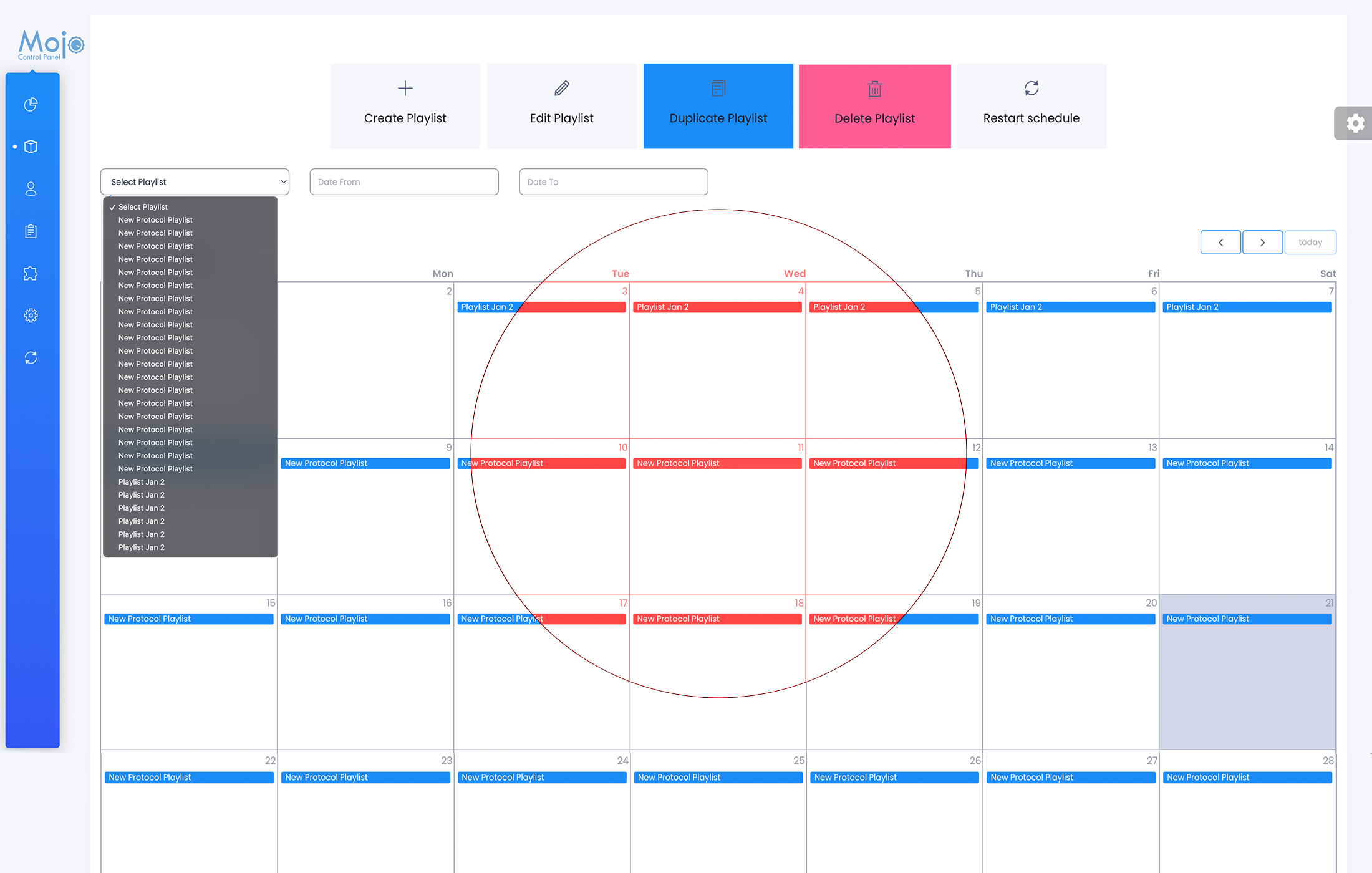
Deleting Playlist
- From your dashboard, click on services and select your server.
- From your overview page, click on the Cloud TV Tab, and the Playlist Tab.
- To delete an older or new playlist, you can simply highlight the playlist, that you would like to remove from your list, and click on the delete playlist button.
- In order to update your playlist schedule, click on the restart schedule to apply the changes.
- You can also use the drop down menu and select the playlist, that you would like to remove, and click once again on the delete Playlist button.
- Again, a restart of the schedule is needed, to apply the change.
- If you miss this step, the schedule will not be updated.
- Note: By restarting the playlist, MojoCP will not interrupt what is currently playing.
More Videos:
Video tutorials: Cloud TV Broadcast your own internet TV station. CloudTV.
